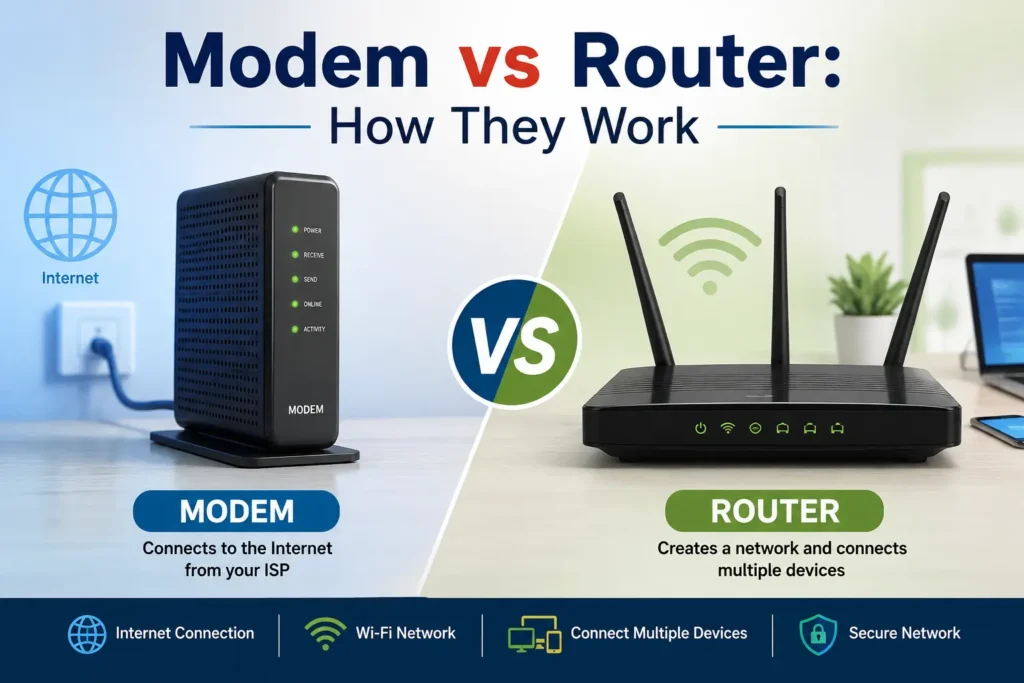
When setting up an internet connection at home or in an office, two devices often cause confusion: a modem and a router. Although they work together, a modem and a router have different jobs. Understanding Modem vs Router can help you choose the right equipment, troubleshoot connection problems, and build a better home network.
What Is a Modem?
A modem is a device that connects your local network to your internet service provider (ISP). The word “modem” comes from “modulator-demodulator,” referring to how the device converts signals so information can travel between your network and the ISP.Your internet provider sends an internet signal through a cable, fiber connection, telephone line, or another type of connection. The modem receives that signal and converts it into data that your networking equipment can use.Without a modem, many traditional internet connections cannot communicate with the ISP. Some modern fiber installations use an optical network terminal (ONT) instead of a traditional cable modem, but the basic idea is similar: the device provides the connection between the provider's network and your local network.
How Does a Modem Work?
The modem communicates directly with your internet provider. It receives incoming data from the ISP and sends outgoing data from your home network back to the provider.For example, when you visit a website, your request eventually travels through your network equipment to the modem. The modem then communicates with the ISP, allowing data from the internet to return to your device.A modem usually does not provide Wi-Fi by itself. Its main job is to establish and maintain the connection with the internet service provider.
What Is a Router?
A router is a networking device that manages traffic between multiple devices on a local network. It can connect computers, smartphones, smart TVs, gaming consoles, printers, and other devices to the internet through the modem.Most home routers also provide Wi-Fi, allowing wireless devices to connect without Ethernet cables. They can also include Ethernet ports for wired connections.The router essentially acts as a traffic manager. It determines where data should go and helps devices communicate with one another and with the wider internet.
How Does a Router Work?
After receiving an internet connection from the modem, the router distributes that connection to connected devices. It assigns local IP addresses to devices and directs data to the appropriate destination.For example, if your phone requests a webpage, the router sends the request toward the internet and makes sure the returning data reaches your phone rather than another device in your home.Many routers also include features such as network security, firewall protection, parental controls, guest networks, and quality-of-service settings.
Modem vs Router: What Is the Difference?
The simplest way to understand Modem vs Router is to think of their main responsibilities.A modem connects your network to the internet service provider, while a router connects and manages devices within your local network.The modem is responsible for receiving the internet connection from the ISP. The router takes that connection and shares it with multiple devices, often through Wi-Fi or Ethernet.In a traditional home setup, the connection generally works like this:Internet Service Provider → Modem → Router → Your DevicesThis arrangement allows each device in your home to access the internet through the router while the modem maintains the connection to the ISP.
Can You Use a Modem Without a Router?
Yes, but there are limitations. A modem can provide an internet connection to a single compatible device in many setups, but it generally will not provide the networking features or Wi-Fi that a router offers.If you only need to connect one computer using an Ethernet connection, a standalone modem may be enough in some situations. However, households with smartphones, laptops, televisions, gaming systems, and smart-home devices usually benefit from having a router.A router also provides useful network-management and security features that a basic modem may not provide.
Can You Use a Router Without a Modem?
A router can create and manage a local network without a traditional modem, but it generally cannot replace the device or technology required to connect to an ISP.Alos Read: Plasma Cutter: How It WorksFor example, a router can allow several devices to communicate with one another on a local network. However, for internet access, the router needs an appropriate connection from the ISP, such as a modem, ONT, or another supported network device.This is why the modem and router often work together in traditional home internet installations.
What Is a Modem-Router Combo?
Some internet equipment combines modem and router functions in a single device. These devices are commonly called modem-router combos or gateways.A combo device can simplify installation because you do not need two separate pieces of hardware. It can also reduce the number of cables and power adapters around your networking setup.However, separate devices can offer more flexibility. If you want to upgrade your Wi-Fi router without replacing the modem, having separate equipment may be more convenient.
Which One Do You Need?
The equipment you need depends on your internet service and your home network.If your ISP provides a modem or ONT, you may only need a compatible router to create your home network and provide Wi-Fi. Some providers also supply gateway devices that perform both functions.When choosing equipment, check compatibility with your ISP. Internet technologies differ, and not every modem works with every provider or connection type.You should also consider your home's size, number of connected devices, Wi-Fi requirements, and internet speed. A modern router can be particularly important if you have many devices or need strong wireless performance throughout your home.
Why Both Devices Matter
Understanding Modem vs Router is useful when diagnosing internet problems. If the modem has lost its connection to the ISP, changing Wi-Fi settings on the router may not solve the problem.On the other hand, if the modem is working but your wireless devices cannot connect properly, the router or Wi-Fi network may be responsible.Knowing which device performs each function makes troubleshooting much easier. It also helps you understand whether you need to replace a modem, upgrade a router, or contact your internet provider.
Final Thoughts
The difference between a modem and a router is simple once you understand their roles. A modem or equivalent ISP connection device links your network to the internet, while a router distributes that connection and manages communication between your devices.In the Modem vs Router comparison, neither device is automatically better than the other because they perform different jobs. Whether you use separate equipment or a modem-router combo, choosing compatible and capable networking hardware can help create a reliable and convenient internet connection.
Author
Steven Mark
Creators
Exploring ideas, trends, and real-world stories to inspire fresh thinking, support daily learning, and help you discover something valuable every day.