
What Is the Litter-Robot 3?
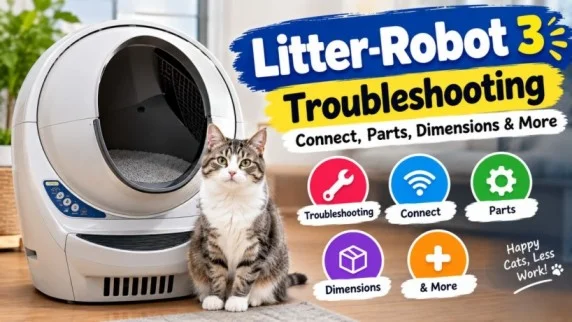
The Litter-Robot 3 is a self-cleaning litter box that automatically separates clumped waste from clean litter. The system is designed to:- Reduce manual scooping
- Help manage litter box odors
- Keep the litter bed cleaner
- Support homes with multiple cats
- Monitor certain functions through the Connect version
Litter Robot 3 Dimensions
The Litter-Robot 3 dimensions are approximately:- Height: 29.5 inches
- Width: 24.25 inches
- Depth: 27 inches
- Weight: 24 pounds
Litter Robot 3 Connect
The Litter-Robot 3 Connect was the connected version of the Litter-Robot 3. It could connect to the Whisker app for remote monitoring. Whisker now lists the Litter-Robot 3 Connect as discontinued. However, the company continues to provide support information for existing Connect units, including instructions for Wi-Fi onboarding and Connect upgrade components. If you already own a Connect model, you can continue using the available support resources.Litter Robot 3 Flashing Yellow Light
A flashing yellow light can indicate different problems depending on how quickly it flashes.Slowly Flashing Yellow
A slow yellow flash usually means the cleaning cycle was interrupted or the bonnet was removed. Check that:- The bonnet is installed correctly.
- The globe is positioned properly.
- There is no excess litter blocking the unit.
- The unit has not been disturbed.
Quickly Flashing Yellow
A rapidly flashing yellow light indicates a potential pinch condition. The anti-pinch system is designed to stop the globe when it detects a possible obstruction near the waste port. Turn the unit off and unplug it before inspecting the area. Check for litter or debris around the pinch bar and contacts.Litter Robot 3 Pinch Sensor
The Litter-Robot 3 pinch sensor is part of the anti-pinch safety system. If the sensor detects a possible pinch condition, the globe stops and the yellow light can flash quickly. To troubleshoot it:- Turn off and unplug the unit.
- Remove the bonnet, globe, and waste drawer.
- Inspect the pinch bar.
- Remove built-up litter or debris.
- Check the metal pinch contacts.
- Make sure the contacts are clean and properly seated.
- Reassemble the unit and run a cycle.
Litter Robot 3 Troubleshooting
Common Litter-Robot 3 problems include flashing lights, interrupted cycles, sensor errors, and globe-position faults. Here are a few basic checks:- Make sure the unit is on a stable, level surface.
- Remove excess litter.
- Check the globe for debris.
- Make sure the bonnet is correctly installed.
- Clean the base and sensor areas.
- Press Reset after changing the litter amount or moving the unit.
- Check the power supply and connections.
Litter Robot 3 Parts
Common Litter-Robot 3 parts include:- Globe
- Bonnet
- Base
- Motor assembly
- Circuit board
- Pinch contacts
- DFI components
- Seal strips
- Carbon filter
- Waste drawer
- Ramp
- Fence
Litter Robot 3 Replacement Parts
If your Litter-Robot 3 needs a replacement part, identify the problem before ordering anything. For example, a rapidly flashing yellow light may involve the pinch contacts, while a globe-position error can involve the position sensor or other components. Whisker's official support center provides troubleshooting instructions and replacement-part information for existing Litter-Robot 3 owners.Litter Robot 3 vs 4
The Litter-Robot 3 and Litter-Robot 4 have similar overall footprints, but the Litter-Robot 4 is narrower.| Feature | Litter-Robot 3 | Litter-Robot 4 |
| Width | 24.25 inches | 22 inches |
| Depth | 27 inches | 27 inches |
| Height | 29.5 inches | 29.5 inches |
| Model status | Discontinued | Newer model |